
AI integration with existing software needs a workflow-specific estimate; a software list alone does not establish the cost. For a 2026 budget, separate the initial build from ongoing operation, maintenance, and human review before comparing proposals.
TL;DR
How much does AI integration with existing software cost? Budget the workflow, its safeguards, and ongoing maintenance together.
Compare proposals against identical software access, approval rules, testing requirements, and support responsibilities.
Arcgent fits companies seeking custom AI agents built and maintained inside their existing software.
Start with a bounded workflow; expand after testing real inputs and reviewing failures.
Why this matters
A connection is not the same as a working process. Reading a support request, deciding what it means, updating a customer record, and recovering from a failed update are separate requirements. Your estimate needs to cover the entire job.
Before requesting proposals, define what you expect from AI integration services connecting agents to existing software. A useful scope names the starting event, the information the agent needs, the action it takes, and the person responsible when it cannot finish.
Compare completed workflows, not connector lists. Otherwise, proposals can describe different amounts of work while appearing to solve the same problem.
How much does AI integration with existing software cost?
The cost depends on what the integration must read, decide, change, and maintain. Request a written breakdown rather than treating an estimate for the initial build as the entire operating budget.
Use the following breakdown when reviewing a 2026 proposal. These are scope categories to ask about, not claims about what any provider includes.
Workflow definition
Work to specify: Triggers, decisions, outputs, and exceptions
What to clarify: Who documents the current process?
Software connections
Work to specify: Authentication, permissions, reads, and writes
What to clarify: Which systems and actions are included?
Data preparation
Work to specify: Field mapping, document handling, and validation
What to clarify: Who resolves missing or inconsistent information?
Agent behavior
Work to specify: Instructions, decision boundaries, and tool use
What to clarify: What can the agent do without approval?
Testing and release
Work to specify: Example cases, failure checks, and deployment
What to clarify: What evidence establishes acceptance?
Ongoing operation
Work to specify: Model usage, hosting, and connected services
What to clarify: Which usage-dependent charges are separate?
Maintenance
Work to specify: Monitoring, repairs, and changes
What to clarify: What support is included, and what is additional work?
Human review
Work to specify: Approvals, corrections, and exception handling
What to clarify: Who does this work after launch?
Ask each provider to mark every category as included, excluded, or dependent on discovery. An unmarked responsibility is not a settled responsibility.
Also separate integration work from process redesign. Connecting software to an agreed process is different from deciding who should approve a request, which record is authoritative, or how conflicting instructions should be resolved.
Read-only assistance: define the information boundary
A read-only integration retrieves information and returns an answer, summary, or draft without changing source records. It is a useful starting scope when you need assistance but want people to retain control over actions.
Best for: teams that need information prepared before a person decides what happens next. The benefit is a clear boundary around changes to business records. The limitation is that someone still needs to act on the output.
Specify which sources the agent can read and whose permissions apply. An agent answering employee questions should not gain access to information simply because its service account can retrieve it.
Your acceptance criteria should cover missing information as well as successful answers. Define when the agent must say it cannot answer, cite a source, or direct the request to a person.
Approval-based actions: define the review step
An approval-based integration prepares a change and waits for a person to authorize it. Examples include drafting a record update or preparing a task for review before submission.
Best for: workflows where judgment matters and a proposed action is easier to review than create. The benefit is human control before a change happens. The limitation is that the workflow still depends on someone reviewing the queue.
Budget the review experience as part of the integration. The approver needs enough context to understand the proposal, inspect its source, and reject or edit it without reconstructing the entire task.
Specify what happens when approval never arrives. A process that waits indefinitely is incomplete, even if its software connections work correctly.
Bounded automatic actions: define the stop conditions
An automatic integration performs permitted actions without asking for approval each time. Its scope must distinguish routine cases from exceptions that require human attention.
Best for: repeatable workflows with explicit action limits and clear exception rules. The benefit is less manual handling of eligible cases. The limitation is that incorrect decisions can affect business records before someone reviews them.
Require rules for duplicate events, failed updates, and uncertain inputs. If a request arrives again after a timeout, the integration needs a defined way to avoid creating the same action twice.
Automatic does not mean unrestricted. State which fields, records, and actions are permitted, and specify when the workflow must stop rather than guess.
Which integration scope should you request?
Read-only assistance
Best for: Preparing information for people
Main benefit: No direct changes to source records
Main limitation: People still perform the resulting actions
Approval-based actions
Best for: Reviewing proposed changes
Main benefit: A person authorizes each action
Main limitation: Review queues remain part of the workload
Bounded automatic actions
Best for: Executing clearly defined routine work
Main benefit: Eligible cases proceed without individual approval
Main limitation: Failures need containment and recovery rules
Choose the boundary that matches the consequence of an error. Do not request automatic execution solely because it sounds more complete.
Why AI integration cost varies
For your 2026 scope, identify the requirements that change implementation work. These factors explain why apparently similar projects need different estimates.
Software access: Documented interfaces and suitable permissions determine what the integration can read or change. Access restrictions need resolution before implementation commitments.
Data condition: Missing fields, inconsistent identifiers, and conflicting records require validation rules. Decide whether cleanup belongs inside the project or remains your team's responsibility.
Decision complexity: Extracting a stated value differs from interpreting an ambiguous request. Define which decisions use fixed rules and which require model interpretation.
Action consequences: Drafting text and changing business records need different controls. Specify approvals, limits, and recovery requirements around consequential actions.
Exception handling: Expired access, unavailable services, duplicate events, and incomplete inputs need defined outcomes. Leaving them unspecified does not remove them from production.
Operating ownership: Monitoring, maintenance, and process changes need an owner after launch. Establish the division of responsibility between your team and the provider.
Do not use the number of connected applications as your only scope measure. A connection that retrieves a record is a different requirement from a connection that updates it, verifies the result, and handles a rejected change.
How do you get a comparable integration estimate?
Give every provider the same workflow brief. For a 2026 evaluation, make that brief concrete enough that a provider can identify dependencies without inventing your operating rules.
Define the workflow. Name the trigger, the current manual task, the required output, and the employee who owns the result. State what is outside the project.
Confirm access. List the software involved, available interfaces, account permissions, and restrictions on data movement. Identify access that still requires approval.
Set action limits. State what the agent can read, propose, and change. Identify the decisions that must stay with a person.
Test real cases. Supply representative inputs, including incomplete and conflicting examples. Agree on what a correct result and an acceptable refusal look like.
Assign ownership. Define who monitors failures, handles exceptions, approves changes, and maintains the integration after release.
These steps produce a scope a provider can challenge and clarify. That is more useful than asking for a commitment based on a list of software names.
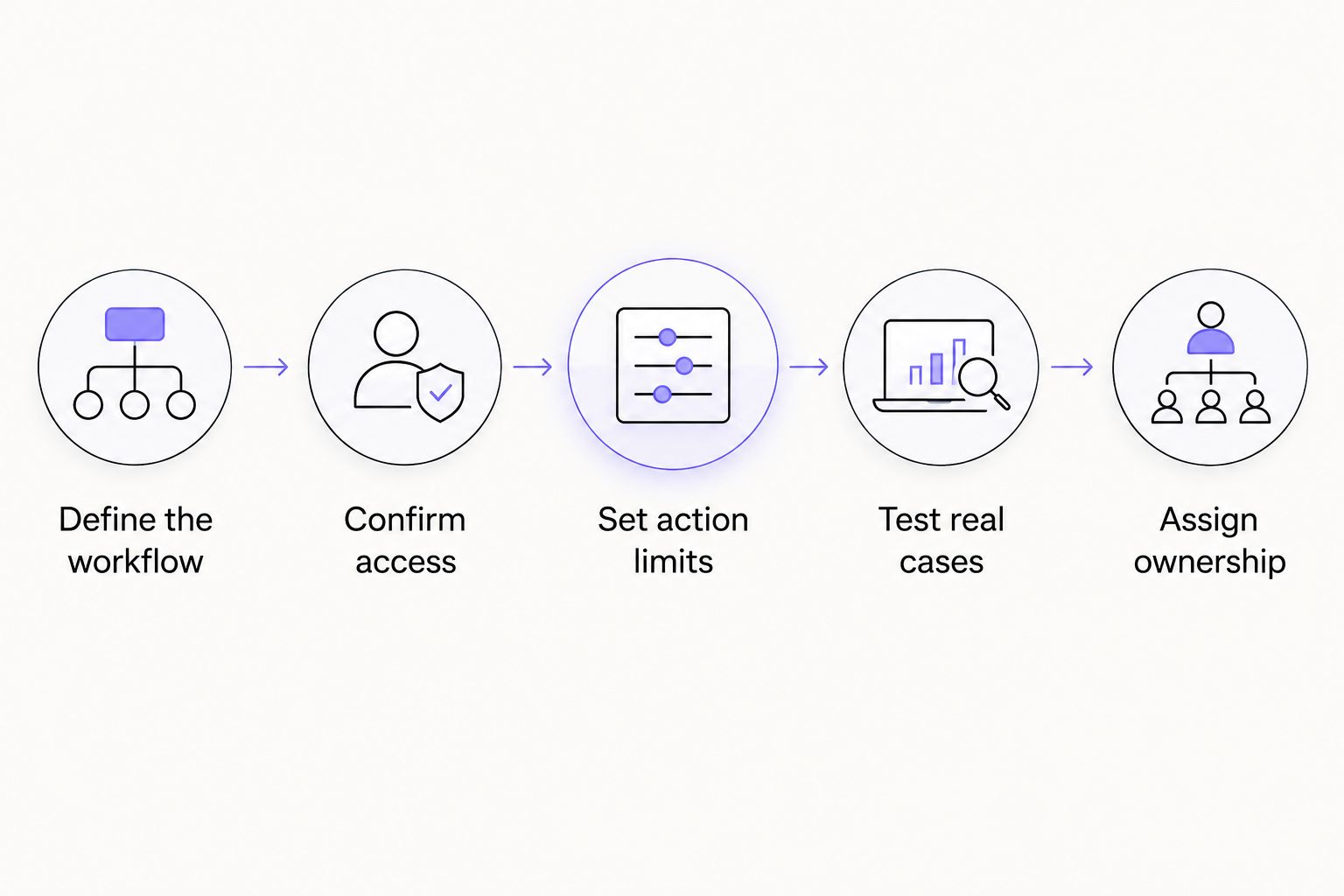
Agree on the workflow and its boundaries before comparing proposals.
Bring examples that caused trouble in the manual process. A clean demonstration does not establish how the integration should handle missing context, conflicting records, or a rejected update.
What should ongoing maintenance include?
Your 2026 operating plan should distinguish keeping the agreed workflow working from changing what it does. Repairing a broken connection and adding a new approval path are different responsibilities.
Ask for a written definition of maintenance. It should identify who investigates failures, renews access, checks changes in connected software, and tests the workflow after a repair.
Also define change requests. Adding a department, reading a new document type, or authorizing a new action changes the original scope even when the underlying agent remains the same.
Arcgent is best for companies seeking custom AI agents built and maintained inside their existing software. That service model fits a team seeking outside help with both implementation and upkeep; a team seeking only a ready-made, self-managed tool has a different buying requirement.
Can you reduce scope without weakening the safeguards?
Yes. Reduce what the workflow does before removing the checks that make its actions acceptable.
Start with a named trigger, a defined input type, and an output your team can verify. Leave unrelated departments, document types, and actions outside the initial scope until the core workflow has passed its acceptance tests.
Keep these boundaries explicit:
Included cases: Identify which requests the integration handles.
Excluded cases: State which requests remain manual.
Approval rules: Name the actions that require authorization.
Failure behavior: Define when the workflow stops and who receives the exception.
Acceptance evidence: Agree on the examples and results used to approve release.
Narrow scope is not permission to ignore failure handling. Even a small integration needs a defined response when access fails or required information is absent.
How do you decide whether the integration is worth funding?
Compare the current workflow with the proposed operating process, not with an idealized version that requires no supervision. Include the work people retain after launch.
Record time spent completing tasks, reviewing output, correcting errors, and handling exceptions. Use your own observations rather than a provider's generic savings claim, and separate faster completion from work that actually disappears.
Your decision also needs a quality test. A workflow that finishes faster but produces unacceptable record changes has not met the business requirement.
Set the decision before implementation: what result would justify continuing, what would require revision, and what would stop the project? This keeps a successful demonstration from becoming the only basis for a larger commitment.
FAQ
How much does AI integration with existing software cost in 2026?
AI integration requires a workflow-specific estimate covering implementation and ongoing operation. Define software access, permitted actions, testing, maintenance, and human review before comparing proposals.
Is connecting an AI agent the same as automating a workflow?
No. A connection provides access to a system; a working workflow also needs decision rules, validation, exception handling, and a defined outcome.
Do I need to replace my existing software?
Replacement is not the starting requirement for an integration project. First confirm whether your existing systems provide the access and permissions needed for the intended workflow.
Should I start with automatic actions or human approval?
Start with the action boundary your team can safely authorize. Approval-based actions retain human control, while automatic actions require explicit limits and failure-handling rules.
What should I send a provider to get an estimate?
Send the workflow trigger, software involved, representative inputs, required outputs, permitted actions, and acceptance criteria. Identify unresolved access or policy questions so they become explicit dependencies.
Does an initial integration estimate include maintenance?
Treat maintenance as included only when the proposal explicitly defines it. Ask who handles monitoring, broken connections, access renewal, repairs, and changes to the workflow.
Who is Arcgent best for?
Arcgent is best for companies seeking custom AI agents built and maintained to automate repetitive workflows inside the software they already use. Evaluate that service model against whether your team wants outside implementation and maintenance or a self-managed tool.
One last thing
Ask the provider to explain a failed run before showing you another successful one. Use a missing field, an expired permission, or a rejected update as the example. The response reveals whether the proposed scope covers operating the workflow, not just demonstrating it.