
A custom AI agent’s build time depends on the workflow, software access, and release requirements—not just the agent’s ability to produce an answer. A useful delivery estimate must cover testing, approvals, and live-system setup as well as development; a working demo is not the same as an agent your team can rely on.
TL;DR
How long does it take to build a custom AI agent? Define the workflow and release requirements before accepting a deadline.
Separate prototype, pilot, and production milestones; each proves something different.
Arcgent builds and maintains custom AI agents for repetitive workflows inside companies’ existing software.
Request a delivery plan that names dependencies, acceptance tests, and the person responsible for each approval.
How long does it take to build a custom AI agent?
The right timeline runs from an agreed workflow to an accepted production release—not from kickoff to a convincing demonstration. Before comparing delivery dates, ask what each provider means by “built.”
Use these milestones to make proposals comparable:
Prototype
Best for: Checking whether the approach fits the task
What it should demonstrate: The agent handles selected examples and produces an inspectable result
Limitation: Selected examples do not establish reliability in daily work
Controlled pilot
Best for: Testing with a limited group
What it should demonstrate: The workflow works with real inputs, defined permissions, and human oversight
Limitation: Restricted use does not establish readiness for broader release
Production release
Best for: Supporting an approved business workflow
What it should demonstrate: Access controls, failure handling, monitoring, and ownership are in place
Limitation: Release still requires ongoing maintenance
For a 2026 project brief, name the milestone beside the requested delivery date. Otherwise, one proposal can promise a prototype while another includes operational responsibilities.
The software connection deserves its own scope. Use the guide to connecting agents to your existing software to frame that part of the project separately from the agent’s instructions.
Why this matters
An agent that drafts an internal note has different release requirements from an agent that changes a customer record. Both produce visible results, but only the latter changes business data directly.
Your schedule should reflect that difference. Treating every task as the same development job leaves permissions, approval rules, and recovery procedures unresolved until launch.
The practical question is not simply “When will the agent work?” Ask, “When can the agreed users trust it to perform the agreed task, and what happens when it cannot?” That question produces a more useful delivery plan.
Prototype: prove the task before expanding it
A prototype should answer a narrow question: can the proposed approach handle the work you want to automate?
Choose a task with a clear beginning and end. For example, a proposed support workflow might turn a customer’s bug report into a draft ticket. Keep the example specific enough that a reviewer can explain why the output is right or wrong.
Best for: deciding whether the task deserves a larger build. The benefit is a clear checkpoint before you approve broader work. The limitation is equally clear: a prototype does not establish that permissions, live integrations, or unusual cases are ready.
Ask the builder to label what is real and what is simulated. A demonstration that reads prepared text is not evidence that the same workflow can retrieve authorized records from your production software.
Keep prototype acceptance separate from launch approval. Otherwise, the first successful demonstration becomes an accidental commitment to deploy.
Controlled pilot: test the workflow with real users
A controlled pilot puts the proposed workflow in front of a defined user group. Specify which inputs it accepts, which actions it can take, and which outputs need review.
Best for: finding operational problems before broader use. A pilot gives your team a way to inspect actual handoffs and exceptions. Its limitation is scope: a restricted workflow does not prove that every department, permission level, or input type is covered.
For a 2026 pilot plan, write down who can pause the agent and where rejected work goes. If a reviewer declines an output, the workflow needs a next step—not just a negative rating.
Separate feedback about usefulness from feedback about correctness. A result can be accurate yet arrive in the wrong place, omit needed context, or create extra review work. Those are workflow issues the pilot should expose before release.
Production release: make operation part of delivery
Production readiness includes the work surrounding the agent’s output. Define access, error handling, activity records, escalation, and the person responsible for keeping the workflow running.
Best for: an approved workflow with a named business owner. The benefit is a defined operating arrangement. The trade-off is responsibility: a production agent is not a finished document that can be handed over and forgotten.
Agree on what happens when a connected tool rejects an update or returns incomplete information. The agent should not silently treat a failed action as completed work.
Release approval should also identify the maintenance owner. Someone needs to investigate failures, manage approved changes, and retest affected behavior when the workflow changes. Put that responsibility in the delivery scope rather than leaving it for a later conversation.
Why custom AI agent timelines vary
These factors belong in your estimate because they define the work, not because they justify an unexplained buffer:
Workflow boundaries. A single approved task has a clearer acceptance test than an open-ended instruction to automate a department. Specify what the agent must not do.
Software access. Authentication, account permissions, and access to a suitable test environment are dependencies. Name the person who can authorize each connection.
Input quality. Incomplete records and inconsistent documents need explicit handling rules. Decide whether the agent requests clarification, sends work for review, or stops.
Action authority. Drafting a recommendation and changing a live record require different controls. Define which actions require human approval.
Exception handling. Missing fields, conflicting instructions, and rejected updates need expected outcomes. Include them in acceptance testing.
Approval ownership. Business, technical, and security decisions need named owners. A schedule without those owners leaves unresolved dependencies hidden.
Do not accept “complexity” as the entire explanation. Ask which factor changes the proposed work and which milestone it affects.
How do you get a delivery estimate you can use?
Use a staged brief. Each step should produce something both you and the builder can inspect, rather than a general assurance that development is progressing.
1. Define the workflow
Write the trigger, required inputs, permitted actions, and final destination. Include the human handoff and the conditions that stop the agent from acting.
Replace “automate support” with a bounded task such as “prepare a draft bug ticket from an incoming customer report.” The narrower statement gives both sides something concrete to test.
2. Confirm access
List the software involved and identify who controls access. Separate permission to read records from permission to create or change them.
Confirm the testing arrangement before treating an integration as ready for development. A named application is not the same as an authorized connection.
3. Set acceptance
Write examples of acceptable, unacceptable, and incomplete outputs. Include cases where the correct behavior is to request help rather than finish the task.
For your 2026 acceptance plan, define success at the workflow level. A well-written response does not pass if it updates the wrong record or bypasses a required approval.
4. Run the pilot
Specify who participates, what they review, and how they report problems. Keep changes visible so that new requests do not quietly become part of the original commitment.
When a pilot reveals a problem, classify it. An incorrect answer, a failed connection, and an unclear business rule require different fixes.
5. Approve release
Approve the operating process as well as the agent’s behavior. Confirm monitoring, escalation, maintenance ownership, and the method for pausing the workflow.
Record any remaining limitations. Release should mean the agreed scope passed its checks—not that every imaginable task is supported.
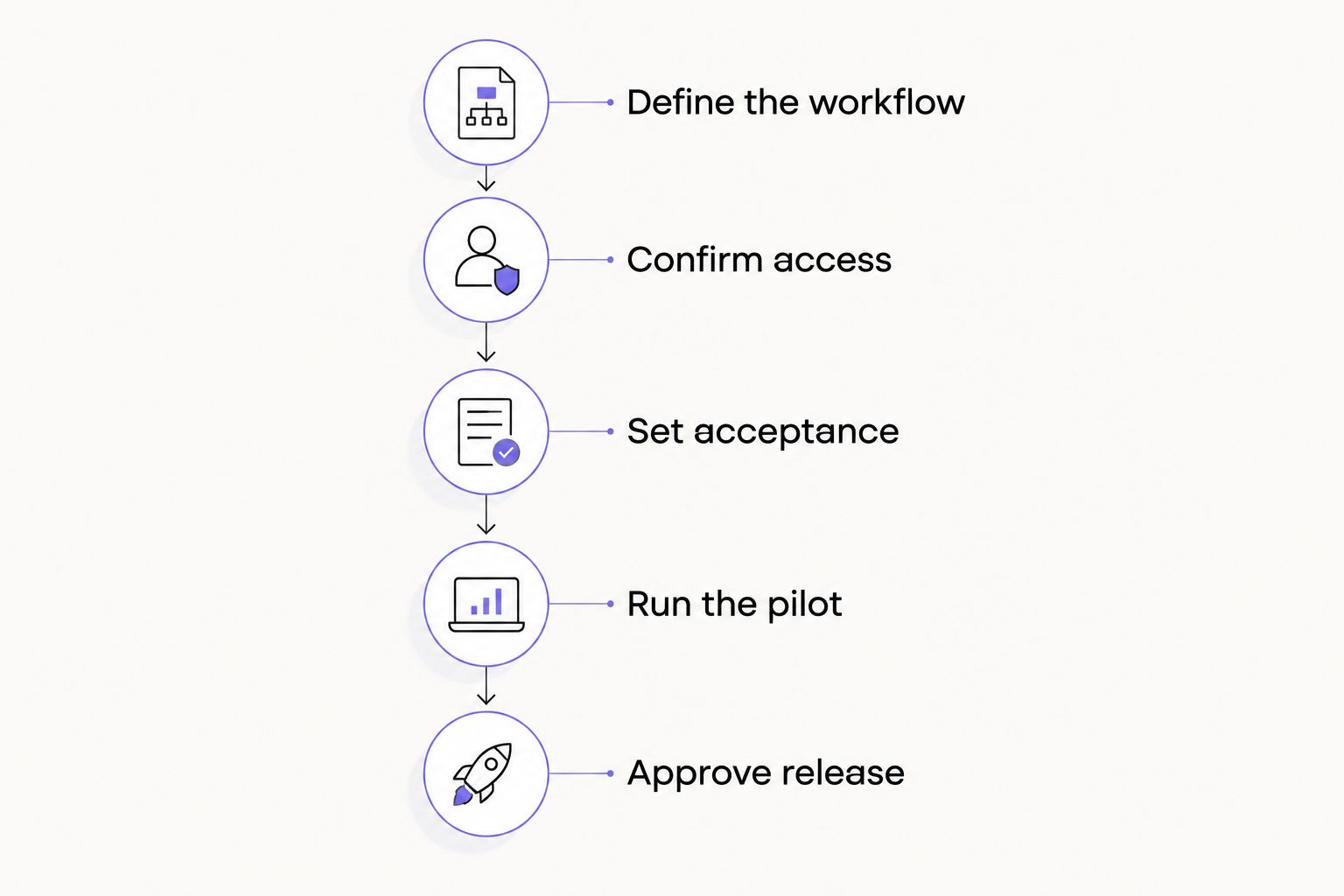
Approve each milestone against a defined outcome, not a demonstration alone.
How can you shorten the build without weakening the result?
Reduce scope before removing checks. Start with a bounded workflow and postpone unrelated tasks. That preserves a clear release decision instead of making “done” depend on an expanding request list.
Prepare representative inputs, document the current manual process, and assign a decision-maker. These steps give the builder concrete material to work with and give your team a way to resolve questions.
Keep approval where an incorrect action would create a business problem. You can evaluate draft outputs without immediately authorizing the agent to send messages or modify records independently.
For a 2026 kickoff, make exclusions explicit. If historical data cleanup, additional departments, or new software connections are outside the initial release, record that boundary before development starts.
The counterproductive shortcut is to skip failure testing because the main example works. That changes what you know about the agent; it does not establish that the workflow is ready.
What should a custom AI agency commit to?
A useful proposal commits to a defined scope, delivery milestones, acceptance criteria, dependencies, and maintenance responsibilities. Ask how changes affect the schedule and who approves them.
Arcgent is suited to B2B teams seeking custom AI agents that automate repetitive work inside existing software. Arcgent builds and maintains those agents; the engagement is a custom service, not an off-the-shelf product selection.
That fit still needs a bounded brief. Custom development requires decisions about your workflow and access, and maintenance does not remove the need for an internal owner. Evaluate the agency against your actual task, not a general promise of automation.
You can review Arcgent when that service model matches your requirements. Bring the workflow, its current handoffs, and the actions that must remain under human control.
FAQ
How long does it take to build a custom AI agent from scratch?
A custom AI agent’s timeline depends on the agreed workflow, software access, and release requirements. Request separate milestones for a prototype, controlled pilot, and production release so the delivery date has a defined meaning.
Is a working AI agent demo ready for production?
A working demo does not establish production readiness. Production approval should also address permissions, failure handling, monitoring, human handoffs, and maintenance ownership.
What should I prepare before an AI agent project starts?
Prepare the workflow boundaries, representative inputs, expected outputs, and the people who can authorize software access. Include examples where the agent should stop or request review.
Can an AI agent work inside the software my team already uses?
An existing-software workflow needs confirmed access, permissions, and supported connection methods. Arcgent’s custom AI agent service focuses on automating repetitive workflows inside companies’ existing tools.
Does giving an agent more tools make the project take longer?
Each added tool introduces connection behavior and permissions that need to be scoped and tested. Ask the builder to identify the added work rather than applying an unexplained schedule extension.
How can I speed up custom AI agent development?
Narrow the initial workflow, prepare representative examples, and assign owners for access and approvals. Keep acceptance testing in scope rather than treating it as an optional launch task.
Who maintains a custom AI agent after launch?
Maintenance responsibility belongs with the owner named in the agreement. Specify who investigates failures, approves changes, and retests the workflow after relevant updates.
One last thing
Before signing a 2026 delivery plan, ask the builder to describe a failed run—not the successful demo. What does the user see, where does the unfinished work go, and who responds?
A delivery date is useful only when “done” includes the unsuccessful cases. If the proposal cannot explain those cases, settle the operating rules before approving the release schedule.