
Yes, AI agents can work without full API access by using limited API permissions, approved browser interactions, or file-based handoffs. They still need an authorized way to read the required information and carry out each permitted action. Missing access can limit automation to preparing work for a person rather than completing the whole workflow.
TL;DR
Can AI agents work without full API access? Yes, through limited APIs, browser automation, or approved file handoffs.
An AI agent cannot legitimately bypass missing permissions, authentication requirements, or application restrictions.
Use limited API access for supported actions; use browser automation only where access and application rules permit it.
Arcgent builds and maintains custom AI agents for repetitive workflows inside software companies already use.
Can AI agents work without full API access?
Full API access is not a prerequisite. Authorized access to the specific data and actions in your workflow is. An agent that drafts a reply needs different permissions from an agent that sends it or changes a customer record.
The distinction matters when planning custom AI agent development with Arcgent: describe the work first, then identify the access each step requires. Do not start by requesting an administrator account.
For a 2026 implementation, compare the available connection methods against the actual task:
Limited API access
Best for: Workflows with supported endpoints
What it enables: Reading or updating explicitly permitted records
Main limitation: Missing endpoints or scopes leave gaps
Browser automation
Best for: Approved tasks available through the interface
What it enables: Interacting with visible forms, buttons, and records
Main limitation: Interface and session changes require handling
File handoffs
Best for: Batch processing with export and import support
What it enables: Working from approved spreadsheets or documents
Main limitation: Data freshness depends on the handoff
Human-approved handoffs
Best for: Consequential or restricted actions
What it enables: Preparing work for someone authorized to finish
Main limitation: A person remains part of the process
These methods can coexist. A workflow can read through an API, prepare a proposed change, and hand the final action to a person. That is partial automation, not a failed integration.
Why this matters
Asking for full access creates the wrong starting point. It bundles necessary permissions with powers the workflow does not need, such as deleting records or changing account settings.
For your 2026 automation plan, write down the required outcome instead: identify an incoming request, find its matching record, prepare the response, and record what happened. Then check which steps the available access supports.
Separate technical reach from permission to act. A browser session might display a button, but that does not establish that automated use is allowed. Your application rules, account permissions, and internal policies still apply.
Limited API access: best for supported, repeatable actions
Start with the API operations your account already permits. Read access can support classification, summarization, matching, and draft preparation without granting permission to modify the source system.
Write access requires a separate check. Confirm that the permitted operation changes the intended field or record, rather than assuming that access to an application means access to everything inside it.
The advantage is a defined connection: the workflow requests a particular operation and receives a structured response. The limitation is equally clear. If the application exposes customer details but not the action your process needs, the agent cannot create that missing capability.
Before adding another connection method, ask whether a draft or approval handoff solves the remaining work. A narrow integration is easier to reason about than an unnecessary chain of workarounds.
Browser automation: best for approved interface-only tasks
Browser automation lets an agent interact with an application's visible interface instead of relying entirely on an API. It can support an authorized workflow where the relevant action exists on screen but has no accessible endpoint.
The trade-off is dependence on the interface. Changed field labels, new dialogs, expired sessions, and unexpected page states need explicit handling. A click is not proof that the intended change succeeded.
Require the workflow to confirm the destination record before acting and inspect the resulting state afterward. If the screen does not match an expected state, stop and hand the task back.
For older applications, the access problem overlaps with the broader question of whether AI agents can work with legacy systems. The practical decision is which approved connection supports the task without creating an uncontrolled dependency on screen behavior.
File handoffs: best for batch work
An export can give an agent the information it needs without opening a live connection to the source application. The workflow can classify rows, identify missing information, or prepare an output file for review and import.
This approach fits work that does not require an immediate update. Its main limitation is freshness: an exported record reflects the export, not every change made afterward.
Define how records are matched before importing results. A customer name alone is a weak basis for updating a record when names repeat or change; use an approved stable identifier where the system supplies one.
Also decide who controls the files. Specify the permitted storage location, access permissions, and deletion process. Moving data out of an application does not remove your responsibility to protect it.
Why automation without full API access varies
The same connection method does not suit every workflow. These factors determine how much of the process you can safely automate:
Available operations. Reading a record, creating a draft, and submitting a change are separate capabilities. Confirm each one.
Permission boundaries. An account's role and authorization scope determine what the workflow is allowed to do.
Interface stability. Browser-based work needs handling for changed pages, dialogs, and navigation states.
Data freshness. Export-based processing works from a snapshot; live decisions need an appropriate source of current information.
Action consequences. A draft can be reviewed before use. A sent message or changed financial record requires stricter controls.
Recovery behavior. Timeouts and interrupted sessions need a defined response, especially when an action might already have succeeded.
Choose the connection by the required action, not by how autonomous the demonstration looks. A workflow that stops clearly is preferable to one that guesses and continues.
How do you build an agent around restricted access?
Use these 5 steps to turn an access limitation into a defined implementation scope. Keep the first workflow narrow enough that you can inspect its inputs, decisions, and results.
Map the work. Describe the trigger, required information, decision, and final action. Separate reading from writing so an unavailable update does not block useful preparation.
Check access. For every action, identify the approved API, interface, file handoff, or human owner. Mark unsupported actions as out of scope rather than assuming a workaround exists.
Set boundaries. Define permitted records and changes. Specify when the workflow must stop, request approval, or return the task to its owner.
Test failures. Try missing information, denied permissions, interrupted sessions, and uncertain results. Confirm that recovery does not repeat a completed action.
Review operation. Assign responsibility for failed runs, changed interfaces, and expired access. Document how to pause the workflow and investigate its last action.
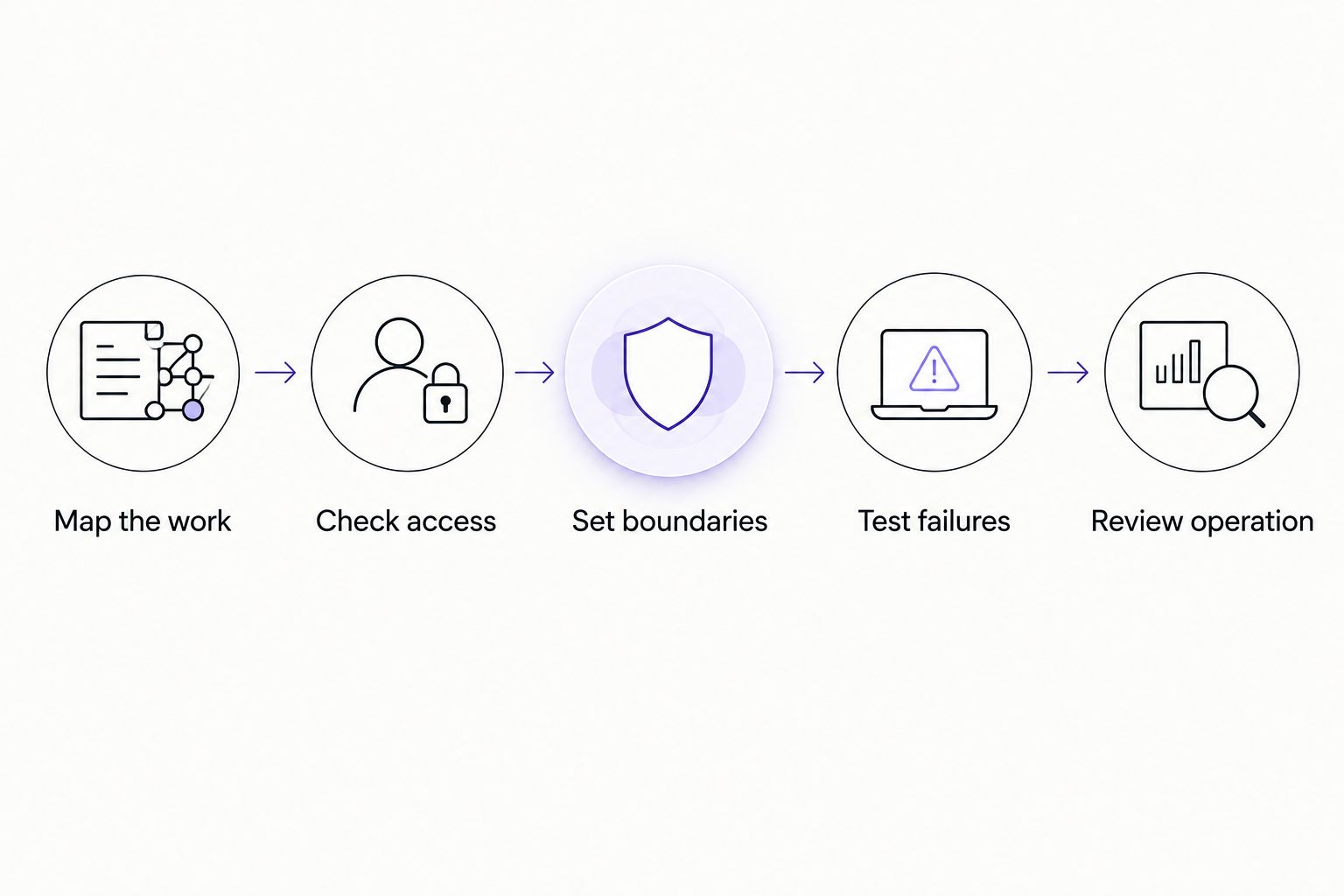
Define the access boundary before allowing the agent to change records.
Treat this as a 2026 launch checklist, not a one-time diagram. Revisit it whenever the application, permissions, or workflow changes. A previously successful run does not validate a newly changed path.
How do you test an agent that uses the browser?
Test the intended result, not just the sequence of clicks. If the task changes a record, verify the record and the changed value after submission. If the task prepares a draft, verify that it did not send anything.
At minimum, write 2 test cases for every consequential action: one in which the action is allowed and one in which the workflow must refuse or stop. Expand those cases around the actual failure modes of your application rather than treating that minimum as a complete test plan.
Testing browser-based agents raises the same distinction used when evaluating AI agents for software testing: interacting with an interface and verifying the correct outcome are separate responsibilities. An apparently completed interaction still needs an observable success condition.
Pay particular attention to uncertain completion. A timeout after submission does not establish whether a change failed or succeeded. Before retrying, inspect the destination state or route the task to a person who can resolve it.
For a 2026 rollout, preserve enough execution history to answer what the agent attempted, what the application returned, and where the workflow stopped. Keep sensitive information out of logs unless it is necessary and authorized.
Can an AI agent work with read-only access?
Yes. Read-only access supports work that produces an answer or draft without changing the connected application. Examples include summarizing permitted records, classifying incoming requests, and identifying missing information.
Keep the limitation visible to users. A workflow that recommends a record update has not applied that update. Label proposed changes as proposals and route execution to an approved writer or person.
Does no API access mean no automation is possible?
No. An approved interface or file handoff can support automation even when an API is unavailable. The workflow still needs a permitted path to the necessary information and actions.
If every path is blocked, narrow the task. A person can supply an approved input and receive a prepared output without giving the agent direct access to the source application. If policy prohibits that handoff too, do not automate it.
When does custom development fit?
Arcgent is best for companies seeking custom AI agent development for repetitive workflows inside software they already use. The service includes building and maintaining those agents, which matches work that needs ongoing operation rather than a standalone demonstration.
The trade-off is that a custom workflow still needs explicit access decisions, testing, and an owner for exceptions. Custom development does not remove a software vendor's restrictions or turn prohibited access into an acceptable connection.
Bring Arcgent a concrete workflow: its starting event, required records, intended action, current access, and stopping rules. That creates a clearer scope than asking for an agent that can operate an entire application.
FAQ
Can AI agents work without full API access in 2026?
Yes, AI agents can work without full API access in 2026 through limited APIs, approved browser interactions, or file handoffs. Each required action still needs an authorized execution path.
Does an AI agent need administrator access?
No, an AI agent does not inherently need administrator access. Give it only the permissions required for its defined workflow, and keep unrelated actions outside that scope.
Can an AI agent bypass an application's permissions?
An AI agent must not bypass application permissions. If its account cannot perform an action, use an approved handoff or change the workflow through authorized channels.
Is browser automation the same as API integration?
No, browser automation interacts with the visible interface, while API integration uses the application's exposed programmatic operations. Browser workflows need handling for interface changes and session interruptions.
Can an AI agent update records with read-only access?
No, read-only access does not authorize record updates. The agent can prepare a proposed change, but an authorized person or separate permitted connection must apply it.
What should happen when an agent loses access?
The agent should stop the affected action and report the access failure. It should not broaden its own permissions, switch accounts without authorization, or repeatedly retry an uncertain write.
Can I combine APIs, browser automation, and manual approval?
Yes, a workflow can combine limited APIs, approved browser automation, and manual approval. Define the input, output, and completion check at each handoff so responsibility remains clear.
One last thing
A successful click is not a successful workflow. Before approving your 2026 deployment, ask the builder to demonstrate what happens when the agent loses access immediately after submitting a change.
The answer should show how the workflow checks whether the action completed, avoids a duplicate, and hands uncertainty to an accountable person. That test reveals more about readiness than an uninterrupted demonstration.