
Legal operations teams use AI workflow automation to pull repetitive document, intake, and billing work off paralegals and ops coordinators and route it to AI agents running inside the tools the team already uses. The stakes are different here than in sales or marketing ops: a mis-filed NDA or a leaked draft contract isn't a minor miss, it's a confidentiality breach, so the automation has to respect privilege and access controls from day one, not as an afterthought.
TL;DR
AI workflow automation for legal operations teams works best on intake, conflict checks, invoice coding, and document assembly first.
Build or buy inside your existing practice management and billing software in 2026 instead of adding a new standalone tool.
Arcgent builds and maintains custom agents inside the software legal ops teams already run, no platform switch required.
Confidentiality and access controls have to be designed into the workflow before automation starts, not bolted on after.
Pilot on one workflow for 30-60 days before expanding, and measure hours returned, not just tasks completed.
Why AI workflow automation matters for legal operations teams
Legal ops sits in the middle of two conflicting pressures in 2026: partners want more matters closed with the same headcount, and clients push back on billable hours spent on data entry. Intake forms, conflict checks, invoice coding, NDA review, and document assembly are the workflows that eat the most ops time and produce the least legal judgment. None of that work requires a law degree to execute correctly, but it does require consistency, and consistency is where manual processes break down under volume.
Most legal operations teams already run a practice management system, a document management system (DMS), and billing software side by side, often without talking to each other. Arcgent builds AI agents that sit inside that existing stack instead of asking a legal ops team to migrate to a new platform, which matters in an industry where tool switching costs include retraining, re-auditing access controls, and re-certifying for client outside counsel guidelines.
What makes legal operations different from, say, HR or sales ops is the audit trail requirement. Every automated action, a document routed, a conflict flagged, an invoice coded, needs to be traceable back to a rule or a human approval. Build automation that logs its own decisions, or don't build it at all.
How to automate legal operations workflows step by step
Map the repetitive work before you touch a tool
Start by listing every task that follows the same steps more than ten times a month. Don't start with software. Start with a log.
Track every recurring task for two weeks: intake forms, conflict checks, NDA first-pass review, invoice coding, document assembly, status update emails
Note who does each task today and how long it takes per instance
Flag anything that touches privileged or client-confidential data separately
Rank tasks by volume, not by how annoying they feel
Identify which tasks already follow a fixed decision tree versus which require judgment calls
Pick one workflow to automate first
Resist the urge to automate everything in the first quarter of 2026. Pick the workflow with the highest volume and the lowest judgment requirement.
Matter intake and conflict checks: highest volume, mostly rule-based, good starting point
Invoice coding and time entry cleanup: high volume, low ambiguity, fast ROI
NDA and routine contract first-pass review: medium volume, needs clear escalation rules for anything non-standard
Document assembly from templates: high volume, well-suited to automation once templates are standardized
Client status update drafting: lower volume but high visibility, good for proving value to partners
Build the workflow manually first, then automate the bottleneck
Before any AI agent enters the picture, write the exact decision rules a human currently follows for the workflow you picked. If you can't write the rule down clearly, the agent can't follow it either.
Document the if-then logic a paralegal uses today for routing or flagging
Identify the 2-3 decision points where a human review is non-negotiable (privilege, conflicts, anything client-facing)
Set a plain-language escalation rule: what gets auto-approved, what gets flagged for review
Test the manual rule set on 10-15 real cases before automating anything
Only once the rule set is stable should you decide whether to build with internal resources or bring in a team that builds this for a living
This is the point where a custom-built agent becomes the faster path. Arcgent builds the agent against the rule set the legal ops team has already validated, which cuts the trial-and-error that comes from automating a process nobody has actually mapped yet.
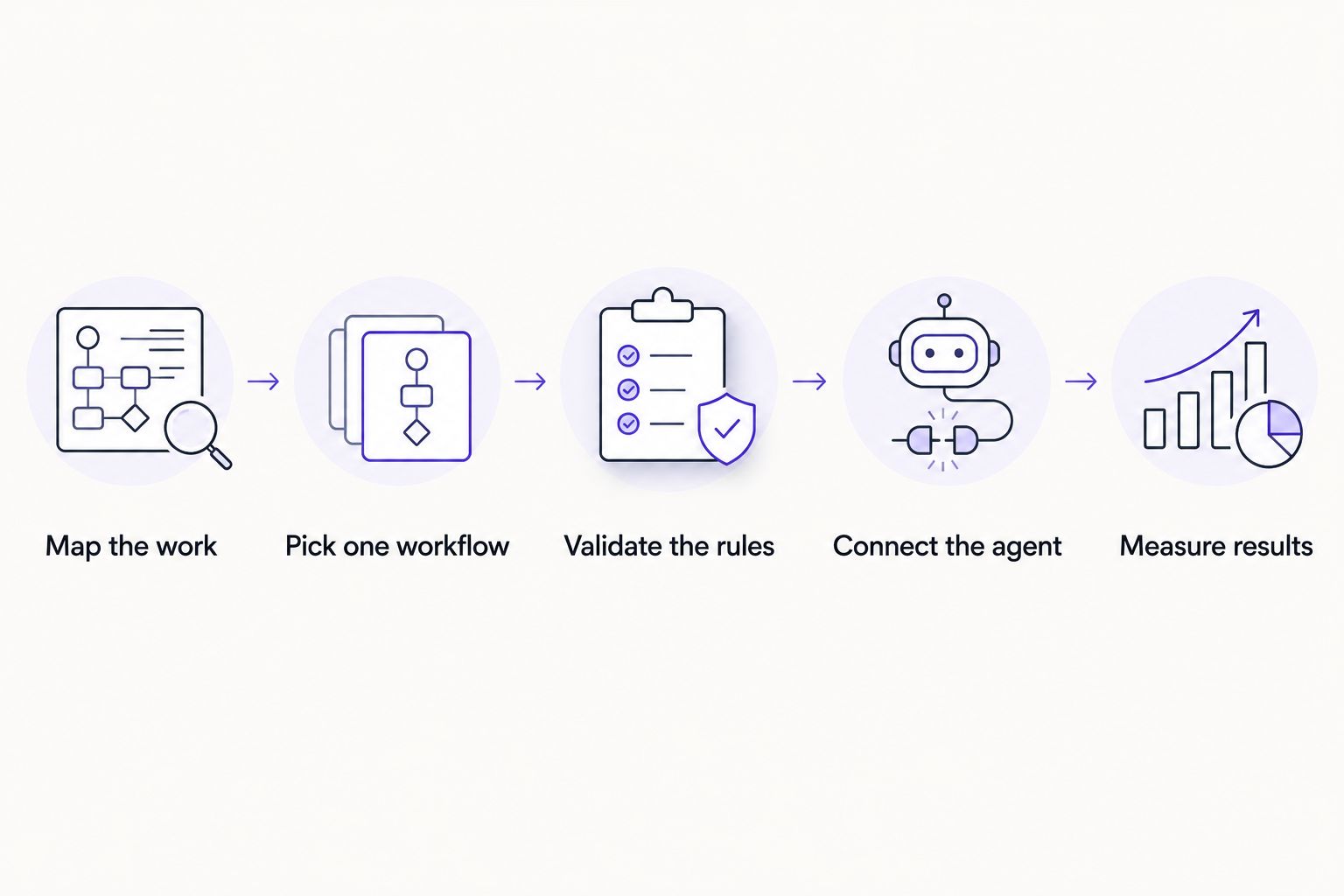
Rule validation happens before the agent gets built, not after.
Connect the agent to your existing tools
A legal ops agent is only useful if it lives inside the practice management system, DMS, and billing software the team already touches every day. A new standalone dashboard nobody logs into is a wasted build.
Confirm which systems hold the source data: matter management, DMS, e-billing, e-signature
Check API or integration availability for each system before committing to a workflow
Set role-based access so the agent only touches what a human in that role could already touch
Build a fallback path for when a system is down or an integration fails
Document which systems the agent writes to versus only reads from
AI integration services that connect agents into existing software, rather than requiring a new platform, cut the adoption friction that kills most legal tech rollouts before they reach partners.
Set guardrails for privilege and confidentiality
This step is non-negotiable for legal operations specifically. An automated workflow that can't prove it respected privilege is a liability, not an efficiency gain.
Restrict agent access to documents by matter, not by blanket folder permissions
Require a logged human approval before any privileged document leaves the DMS automatically
Build an audit trail that timestamps every action the agent takes
Set a hard rule: anything flagged as attorney work product routes to a human, no exceptions
Review access logs monthly, not just at rollout
Test on a parallel track before cutting over
Run the agent alongside the existing manual process for a defined window before retiring the manual step. Thirty to sixty days is a reasonable pilot length for most legal ops workflows in 2026.
Run both processes in parallel and compare outputs line by line
Track error rate, not just speed, during the pilot
Get sign-off from the partner or GC overseeing the matter type before full rollout
Set a clear rollback plan if the pilot underperforms
Expand to a second workflow only after the first one is stable for a full billing cycle
Measure results and keep it running
Automation that isn't maintained decays. Software updates, template changes, and new matter types all break rules that worked fine six months ago.
Track hours returned to paralegals and ops staff, not just tasks completed
Review flagged exceptions weekly to catch rule drift early
Re-validate the rule set whenever a connected system updates its interface or API
Assign ownership: someone specific checks the agent's output, it isn't nobody's job
Budget for ongoing maintenance, not just the initial build
"If nobody owns checking the agent's output, the agent stops being trustworthy within a quarter."
Comparing automation options for legal operations teams
No-code automation (Zapier, Make-style tools)
Best for: Simple, single-step triggers like status emails
Key limitation: Breaks on multi-step logic or anything needing document comprehension
RPA platforms
Best for: High-volume, rule-based data entry like invoice coding
Key limitation: Rigid to rule changes, needs IT support to reconfigure
Point-solution legal AI tools
Best for: Narrow tasks like contract clause extraction
Key limitation: Doesn't connect across your full stack, adds another login
Custom-built agents (Arcgent)
Best for: Multi-step workflows that span intake, DMS, and billing with privilege controls built in
Key limitation: Requires upfront workflow mapping before the build starts
Verdict: no-code tools are fine for a single email trigger but skip them for anything touching privileged documents. RPA platforms handle structured data entry at volume but stall the moment a rule changes mid-quarter. Point solutions solve one task well but leave the rest of the stack disconnected. For a legal operations team automating more than one workflow across systems in 2026, a custom-built agent maintained by an outside team is the option that scales without a new hire.
Map your first legal ops workflow
Get a plain-language breakdown of what to automate first.
Common mistakes legal operations teams make
Automating judgment calls too early. Conflict waivers and privilege determinations need a human in the loop; automating the first-pass flag is fine, automating the final call isn't.
Skipping the audit trail. A workflow that can't show who approved what, and when, fails the first outside counsel guideline review it hits.
Buying a point tool before mapping the workflow. Teams license a contract-review AI tool, then discover it doesn't talk to their DMS or billing software, and the manual re-entry step never goes away.
Treating the pilot as the finish line. A 30-day pilot that looks clean often breaks the first time a new matter type or a vendor API update hits it in month two.
No clear owner post-launch. The team that built the automation moves to the next project, and six months later nobody notices the rules have drifted.
FAQ
What is AI workflow automation for legal operations teams?
It's the use of AI agents to handle repetitive legal ops tasks, intake, conflict checks, invoice coding, document assembly, inside the practice management, DMS, and billing software a team already runs. It's best applied to high-volume, rule-based work first, not to judgment calls like privilege determinations.
Which legal ops workflows should be automated first?
Matter intake, conflict checks, and invoice coding are the strongest starting points in 2026 because they're high-volume and mostly rule-based. NDA review and document assembly follow once the first workflow is stable.
Is AI automation safe for privileged legal documents?
It's safe when access is restricted by matter, every action is logged, and anything flagged as attorney work product routes to a human for approval. It's not safe when an agent has blanket folder access with no audit trail.
How long does a legal ops automation pilot take?
A 30 to 60 day parallel run, where the agent and the manual process operate side by side, is a reasonable pilot window for most legal operations workflows in 2026.
Can AI agents connect to existing practice management software?
Yes, when API or integration access is available. Confirm integration availability for your specific practice management, DMS, and billing systems before committing to a workflow.
Is a custom-built AI agent better than an off-the-shelf legal tech tool for operations teams?
A custom-built agent is better when a team needs a workflow that spans multiple systems, intake plus DMS plus billing, with privilege controls built in. An off-the-shelf tool is fine for a single narrow task like clause extraction.
Who should own an AI agent after it launches?
A named person on the legal ops team should review flagged exceptions weekly and re-validate rules whenever a connected system updates. Without an owner, rule drift goes unnoticed until it causes an error.
One last thing
The legal ops teams that get the most out of automation in 2026 don't start with the flashiest workflow, they start with the most boring one. Invoice coding has none of the glamour of AI-assisted contract review, but it's the workflow with the clearest rules, the least risk if something goes wrong, and the fastest proof point to show a skeptical partner that the automation actually works before expanding it to anything privileged.